<p style="text-align: center;"><span style="text-decoration: underline;"><strong>Homer Emoji for 9.0.2</strong></span></p>
<p style="text-align: center;"> </p>
<p style="text-align: center;"><img title="homer poster" src="https://copy.com/9KcCbRylbtmYW01l" alt="homer poster" width="559" height="314" /></p>
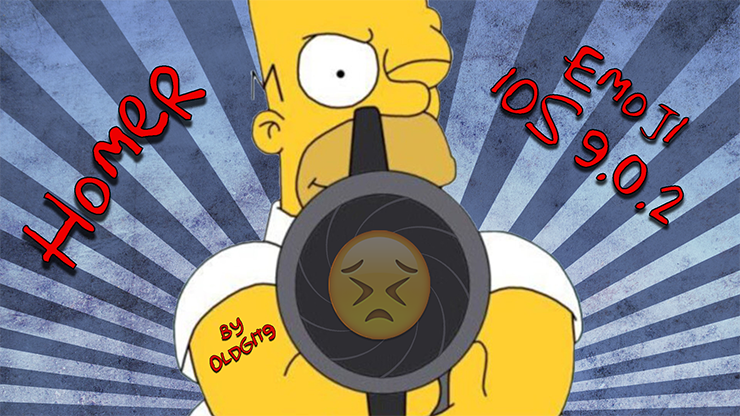
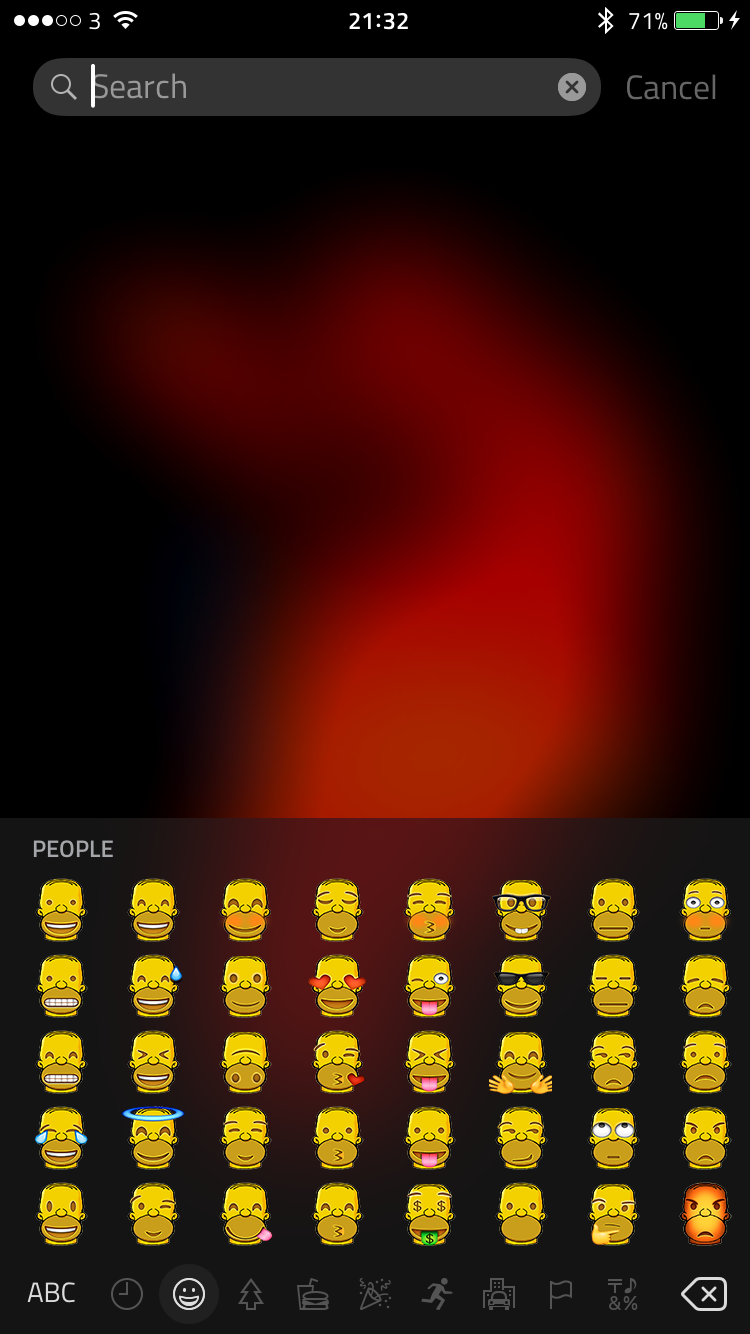
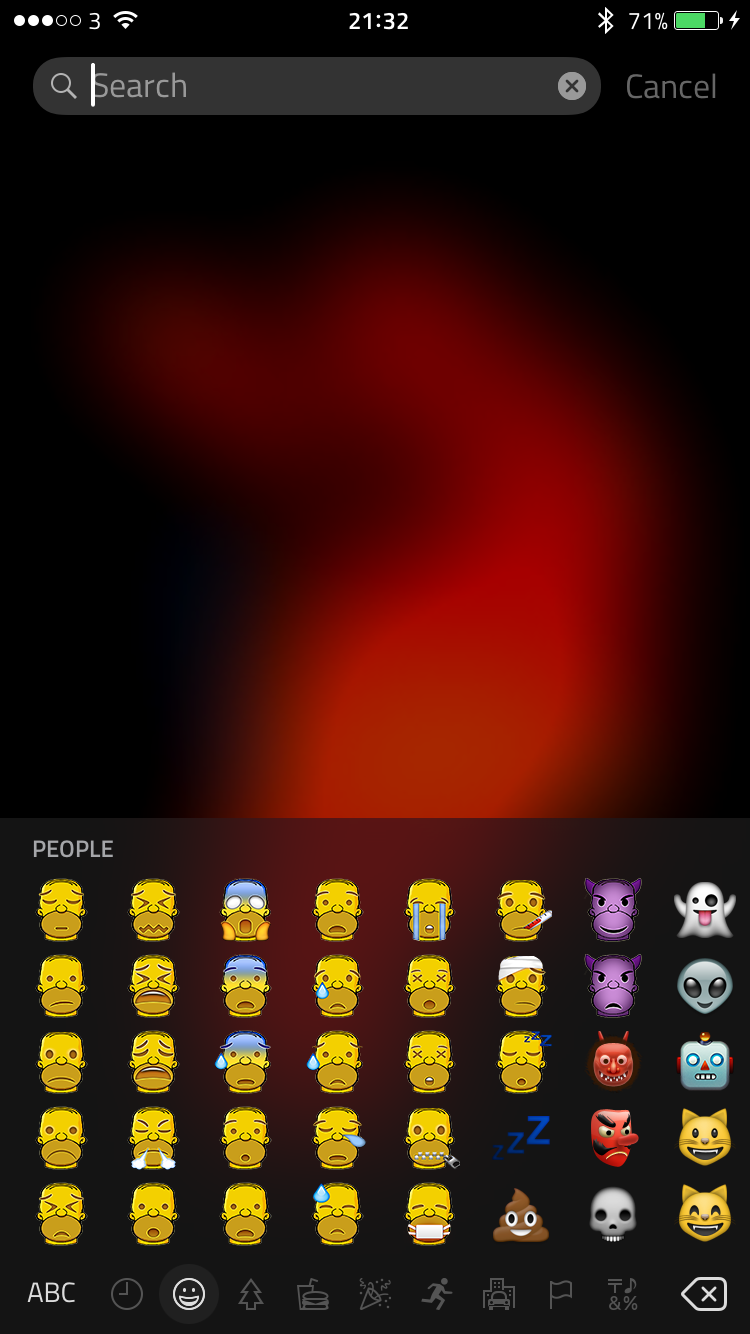
<p style="text-align: center;"><br />We all know who this guy is and he needs no introduction. You can now replace your original Emoji with Homer Emoji’s.<br /><br /><br /><strong><span style="text-decoration: underline;">Requirements</span></strong> :- For this Homer Emoji set to work, you must first install BytaFont3. This is available free in Cydia.
</p>
<p style="text-align: center;"> </p>
<p style="text-align: center;"><span style="text-decoration: underline;"><strong>Installing</strong></span> :- </p>
<p style="text-align: center;">
1. After downloading this package on to your device, open BytaFont3.
</p>
<p style="text-align: center;">2. At the bottom of the screen, select “Swap Mode”.
</p>
<p style="text-align: center;">3. Click on “Emoji”
</p>
<p style="text-align: center;">4. Select “Emoji Homer 9.0.2”.
</p>
<p style="text-align: center;">5. Select “YES” when informed that the device will respring.</p>
<p style="text-align: center;">
6. Enjoy :)
</p>
<p style="text-align: center;"> </p>
<p style="text-align: center;">If at anytime you wish to uninstall this Emoji Set, <strong>DO NOT!</strong> uninstall the Emoji Set from Cydia first, as you normally would. Please follow the below steps to correctly uninstall the Emoji Set. Otherwise, it can cause issues.
</p>
<p style="text-align: center;"> </p>
<p style="text-align: center;"><span style="text-decoration: underline;"><strong>Uninstalling</strong></span> :-
</p>
<p style="text-align: center;">1. Open Bytafon3 on your device.
</p>
<p style="text-align: center;">2. Select “Restore Bytafont Backup” or select another Emoji Set.
</p>
<p style="text-align: center;">3. Now you can uninstall this Emoji Set from Cydia.
</p>
<p style="text-align: center;"> </p>
<p style="text-align: center;"><span style="text-decoration: underline;"><strong>Credits
</strong></span></p>
<p style="text-align: center;"> </p>
<p style="text-align: center;">
Lego Emoji creator - <a href="https://twitter.com/Oldgit9">@Oldgit9
</a></p>
<p style="text-align: center;">Compiler & Emoji .ttf program builder - <a href="https://twitter.com/vXBaKeRXv">@vXBaKeRXv
</a>
</p>
<p style="text-align: center;"> </p>
<p style="text-align: center;">If you would like to show your appreciation for all the hard work that goes into making this Lego Emoji Set, please consider donating by following the below link below.
</p>
<p style="text-align: center;"> </p>
<p style="text-align: center;"><a href="http://www.paypal.me/oldgit9">Donate via PayPal
</a></p>
<p style="text-align: center;"> </p>
<p style="text-align: center;">Thank you.</p>