<p><em><span style="color: green;">Compatible with iOS 5 on all iPhones and iPod touches</span></em><br>Not compatible with the iPad
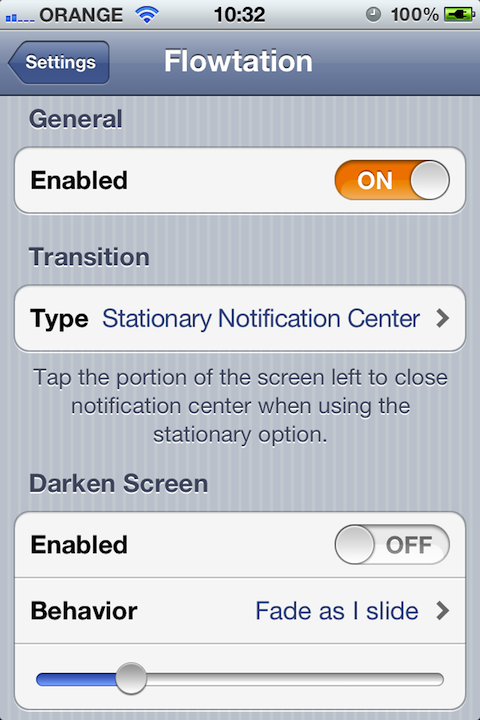
<br><br>As of version 1.1 Flowtation has a new <strong>*awesome*</strong> transition that looks exactly the same as the original concept <a href="http://www.youtube.com/watch?v=qTDRlswe93g">video</a> by Max Rudberg. You should check the demo video bellow dubbed Flowtation 1.1 transition to see a live demo. The older transition still stays as an additional option, that means Flowtation has two very cool transitions and it gives you the option to choose the one that suits you best!
<br>
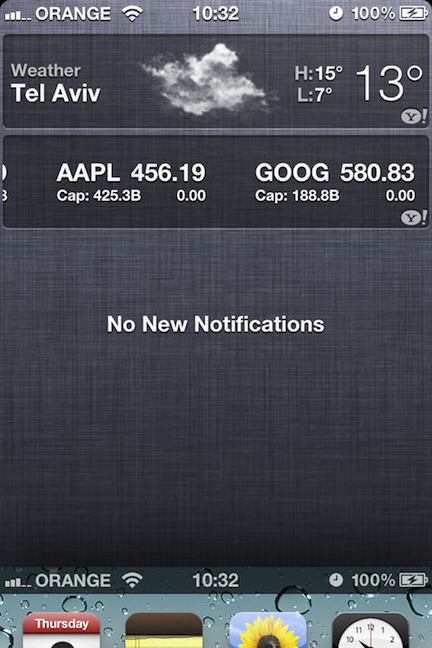
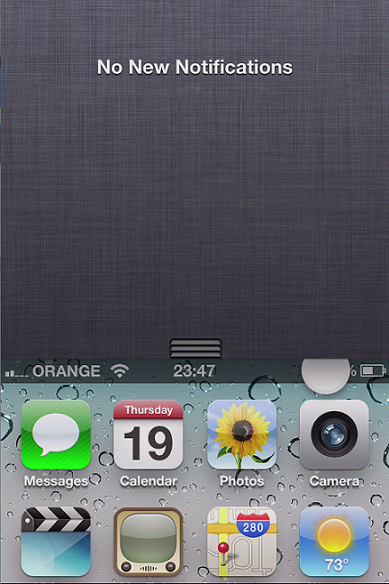
<br/>Flowtation puts your notification center above your screen, so you move the screen away and reveal notification center!
<br/><br/>Flowtation does it in the <strong>coolest</strong>, <strong>smoothest</strong> way! Neither words nor screenshots do justice with Flowtation, you should watch the demo video below to get an <em>idea</em> what Flowtation is. <br/>
<br>
With the new transition a portion of what you were doing, either an open on app or your home screen is left on your screen, just like when you open the app switcher! From there you tap to return to what you were doing!
<br/>Flowtation does NOT add any lag whatsoever to your notification center (I've tested it thoroughly on my own device with a plethora of tweaks installed, your results may slightly differ)
<br/><br/>Flowtation IS compatible with IntelliScreenX
<br/>Flowtation has NO known incompatibilities <br/>Flowtation works EVERYWHERE! Landscape orientation, older devices, games, apps, home screen and etc!
<br/><br/>You are given the option to fade away and darken your screen and therefore focus on notification center when it is pulled. <br/>Based on a concept <a href="http://www.youtube.com/watch?v=qTDRlswe93g">video</a> by Max Rudberg.