<p><span style="color: #33cccc;">Requires Winterboard</span></p>
<p><span style="color: #ff9900;">Requires Move2Unlock for full functionality (it's optional, though)</span></p>
<p><span style="color: #00ff00;">Fully supports 4" Retina displays (iPhone 5, iPod touch 5G) as of release 1.1</span></p>
<p> </p>
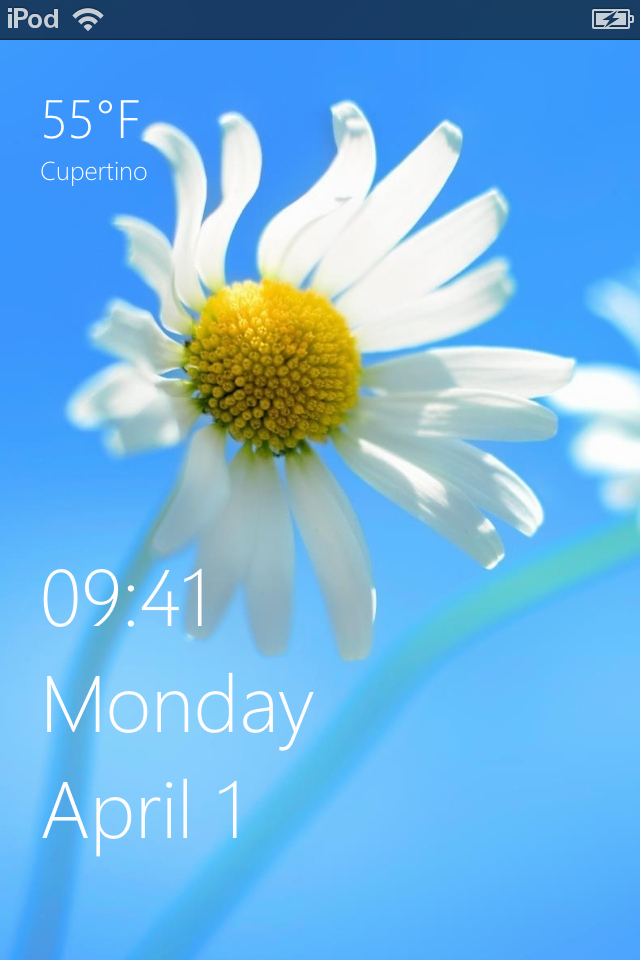
<p>This is a simple Windows Phone Lockscreen for iOS. It shows time, date and weather just on your lockscreen. You can set the language (English, German, French or Spanish) and weather location/unit in the setting files that come with this theme.</p>
<p> </p>
<p>Featuring "Offline Weather", this theme saves the last downloaded weather locally and displays it on the Lockscreen as long as you have not internet connection.</p>
<p><span style="color: #ff0000;">Please Note: </span>This feature is still in beta. Loading/Unloading the offline mode might take a little while.</p>
<p> </p>
<p>If you own the paid package "Move2Unlock" (GravityLockScreen for devices < OS 6 is ok too), you can choose to slide up the screen to unlock. </p>
<p> </p>
<p>For additional information refer to the ReadMe file. This file contains setup information for Move2Unlock and shows you how to change language and weather location/unit.</p>
<p> </p>
<p> </p>
<p>If you have questions, contact me on Twitter (NO SPAM!): <a href="http://twitter.com/SniperGER">SniperGER on Twitter</a></p>