<p align="center"><strong>Make your icons do more.</strong></p>
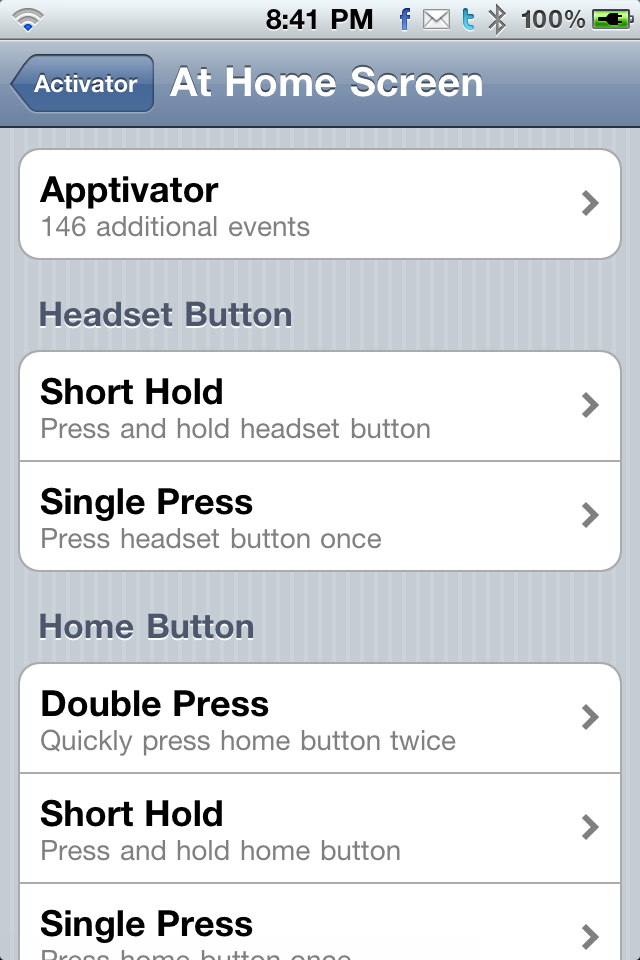
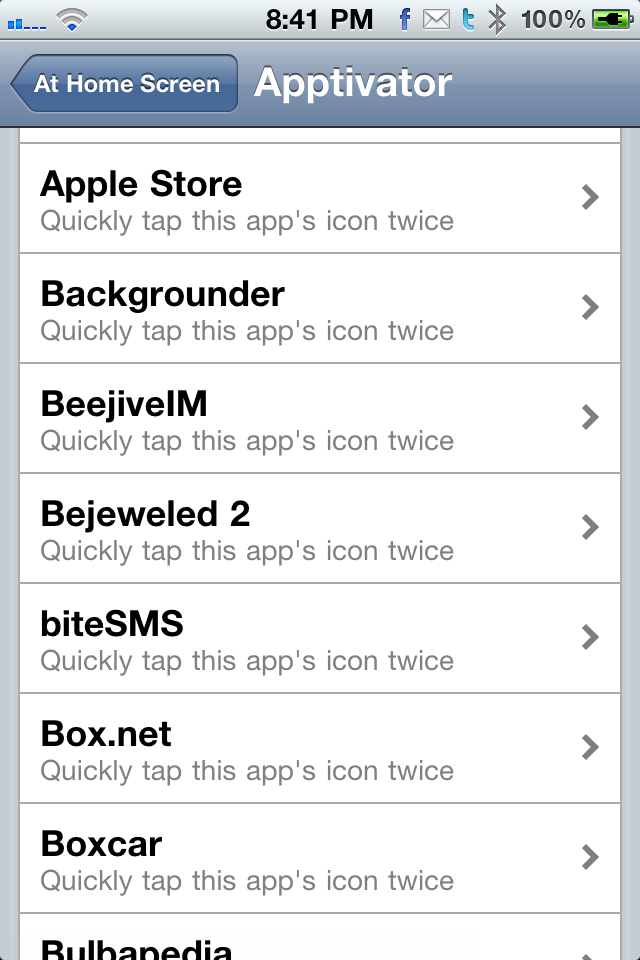
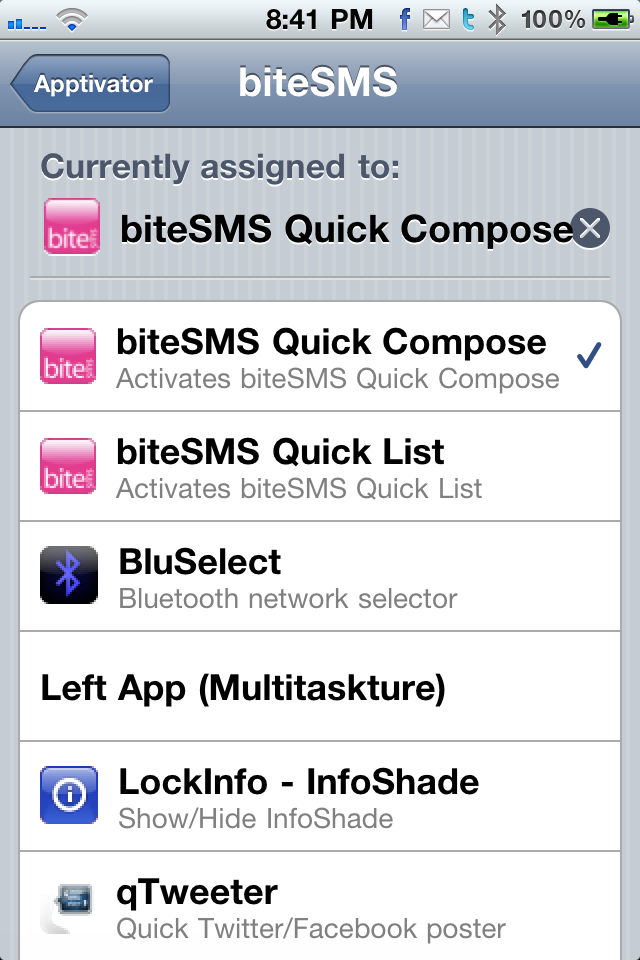
<p align="center">Apptivator lets you assign Activator listeners to your app icons so you can activate them by simply double-tapping the icon. It integrates directly into Activator's preferences, and can be found in the "At Home Screen" section. See the screenshots below to see how to configure Apptivator.</p>
<p align="center">Here are some examples of ways you can use Apptivator:</p>
<ul>
<li>Double-tap BiteSMS to activate Quick Compose</li>
<li>Double-tap Twitter to activate qTweeter</li>
<li>Double-tap iPod to toggle play/pause</li>
<li>Double-tap Settings to activate SBSettings</li>
<li>Double-tap DisplayRecorder to begin recording</li>
<li>Double-tap Camera to open Photos application</li>
<li>Double-tap YouTube to open MxTube</li>
</ul>
<p align="center">These are just a few ideas; you can configure Apptivator however you want.</p>
<p align="center"><strong>Apptivator has been tested on iOS 4.0 through 5.0 inclusive.</strong></p>