<p><strong style="color: red;">Only works on iPad</strong></p>
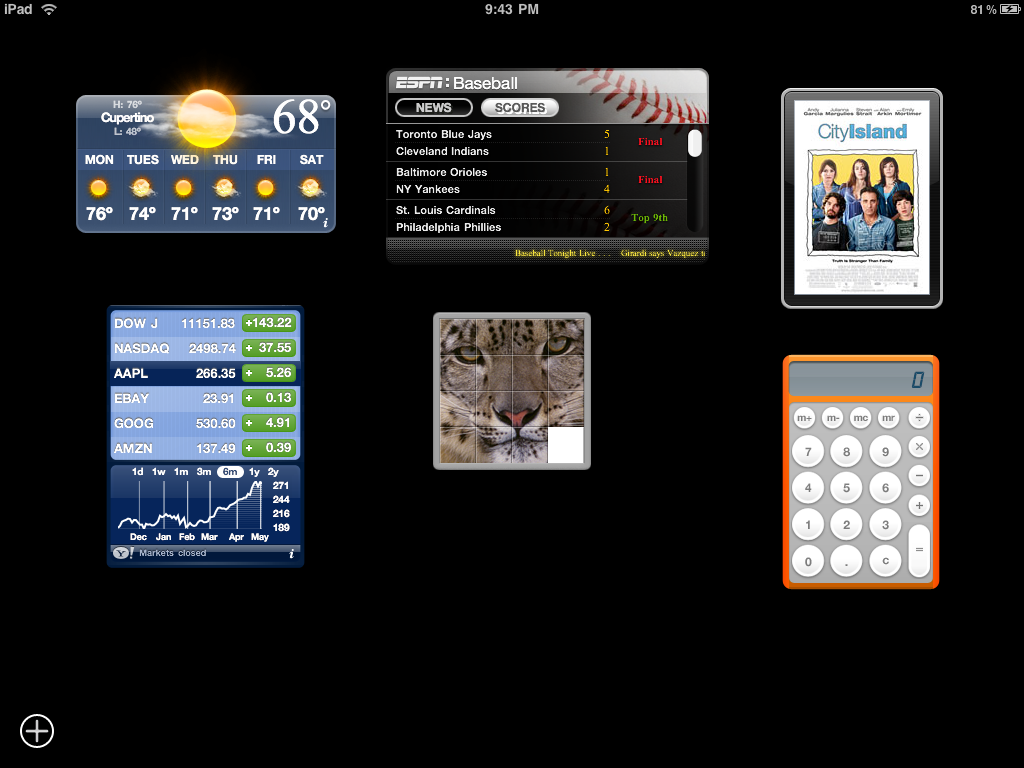
<p>Inspired by Apple's Dashboard application for Mac, Dashboard has been completely rewritten for iPad. It brings the ability of running multiple mini-applications, widgets, to all iPad users. With access to any of the existing Dashboard widgets for Mac available to download right within this application, you can quickly add several fun and functional widgets to your Dashboard.</p>
<p>Instructions:</p>
<ul>
<li>Tap and hold on a widget until it becomes translucent to drag</li>
<li>Tap on '+' to open widget icon view</li>
<li>Tap on an icon in widget icon view to open a new widget</li>
<li>Tap and hold any icon in widget icon view to remove or rearrange them</li>
<li>Tap on 'x' to close widget icon view</li>
</ul>
<p>Check the ongoing <a href="http://spreadsheets.google.com/lv?key=tax27HCt_hBSgWROWe-cFyg" target="_new">Widget Compatibility List</a> and report which widgets work and which ones don't.</p>